Grok Bot Eating Your Weekly Limit? How to Cut Your Usage
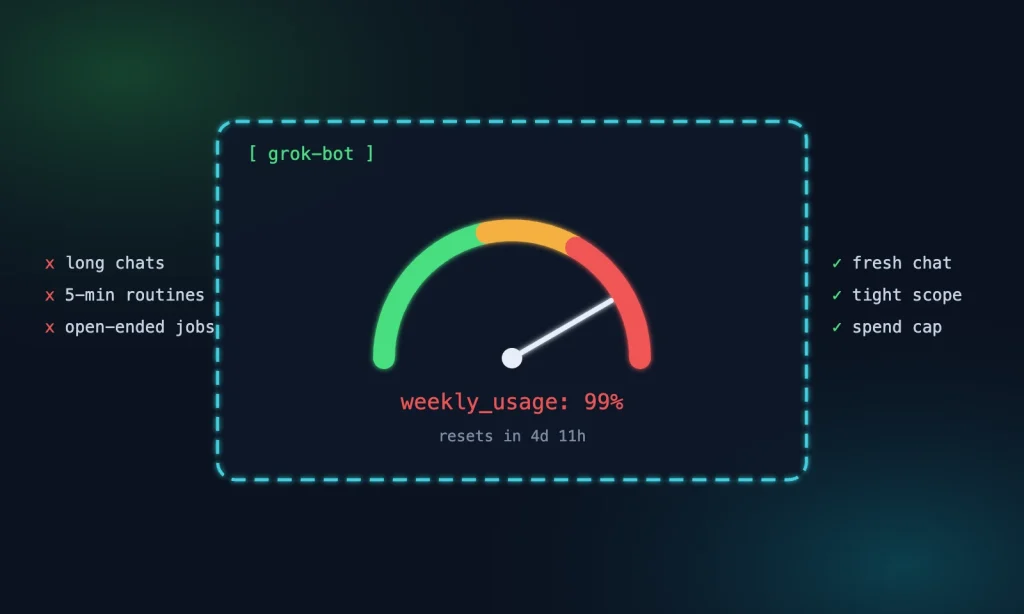
If your Grok Bot usage meter has been sprinting toward 100% halfway through the week, you’re not alone. Around October 31 to November 1, a lot of users watched their weekly allowance vanish overnight, and Elon Musk said on X that serving the agent had been “unsustainably high relative to revenue.” Limits are tighter now, and xAI still hasn’t published hard numbers for any tier.
The good news: most of what drains the meter is under your control. Here’s how Grok Bot actually burns usage, and what to change to make the weekly pool last.
How Grok Bot usage works
Grok Bot is xAI’s agent, not the regular Grok chat. It runs on its own cloud computer, logs in to your apps, and works through multi-step jobs in the background. It’s included in the Premium, Super and Ultra tiers of The X Subscription and in paid Cursor plans, and every tier has a weekly allowance that resets on a fixed schedule.
A few things matter here:
- The meter tracks work, not messages. Steps, tokens, tool calls, browser use and subagents all count. One long unattended task can cost more than dozens of quick questions.
- You can’t pick the model. The agent chooses for each task, and usage shows up as a single “Grok Bot usage” line, so you can’t see which choice was expensive.
- When you hit 100%, it stops until the reset, unless you’ve turned on paid extra usage.
- On Cursor, it can spill over. Grok Bot has its own weekly pool, but if the bot launches a Cursor cloud agent, that agent bills to your normal Cursor plan.
1. Start a fresh chat for every task
This is the biggest one. Every new message re-sends the whole conversation history, so a long-running chat gets more expensive with every turn. Users on the Cursor forum who dug into their usage found that most of it was the bot re-reading old context.
Use the + button to open a new chat with the bot whenever you switch tasks. You don’t need to delete old chats. Idle chats cost nothing; only sending a new message into them does.
2. Scope tasks tightly
“Research gift ideas for my family” lets the agent wander through dozens of pages. “Find three Bluetooth speakers under $100 with at least 12 hours of battery, from these two stores” gives it a finish line. Spell out:
- exactly what you want back, and in what format
- where to look (paste direct URLs instead of making it search)
- what “done” looks like, so it doesn’t keep going
If you already have the data, paste it in. Every page the bot has to open and read in its browser costs you.
3. Don’t leave long jobs running unattended
Because the agent can keep working while you’re away, an open-ended task can quietly chew through a big chunk of the week. Break large jobs into stages and check the result of each before starting the next. It’s slower, but you’ll catch it when it goes down a rabbit hole.
4. Throttle your routines
Routines are where people get burned the worst. A routine that fires every few minutes runs roughly 100 times a day, and each run is billable work. Ask yourself whether it really needs to run more than hourly, or just a few times a day.
Also put recurring jobs on their own dedicated bot instead of your main chat, so each run isn’t dragging your whole conversation history along with it.
5. Offload heavy coding to Cursor agents (if you’re on Cursor)
If you’re using Grok Bot through Cursor, let the bot coordinate and hand the actual implementation to a Cursor cloud agent. The bot’s coordination comes out of the Grok Bot pool, while the agent’s model calls bill to your separate Cursor allowance. Just know you’re shifting the cost, not eliminating it, so watch your Cursor spending too.
6. Check the meter before big jobs
Look at your usage before kicking off anything large, and look again after. You can also ask the bot to audit its own usage and tell you what’s been expensive. It’s the closest thing to a per-task breakdown you’ll get right now.
7. Set spending caps so you don’t get surprised
If you’ve turned on extra usage, put a ceiling on it:
- The X Subscription: keep Auto Top-up off, or set a monthly limit on additional usage credits.
- Cursor: set an on-demand monthly limit under Settings → Usage & Billing.
One catch: a cap won’t stop a task that’s already running, so you can still go slightly over.
If your meter jumped for no reason
Some users saw their meter leap from around 50% to 100% with no real workload behind it. If that happens to you, note the time it jumped, export your usage CSV, and send both to xAI support and ask for a recalculation.
Bottom line
Grok Bot bills for work, and the work that costs most is the kind you don’t see: re-reading long chats, routines firing all day, and open-ended tasks left running. Fresh chats, tight instructions, slower routines and a hard spending cap will stretch your weekly allowance a lot further.
Sources: TechRepublic, BetaNews, Let’s Data Science, Cursor Forum: making the weekly allowance last, Cursor Forum: Grok Bot pool vs Cursor usage.
1 comment