API Anything: Turn Any Website Into an API Your AI Agent Can Call
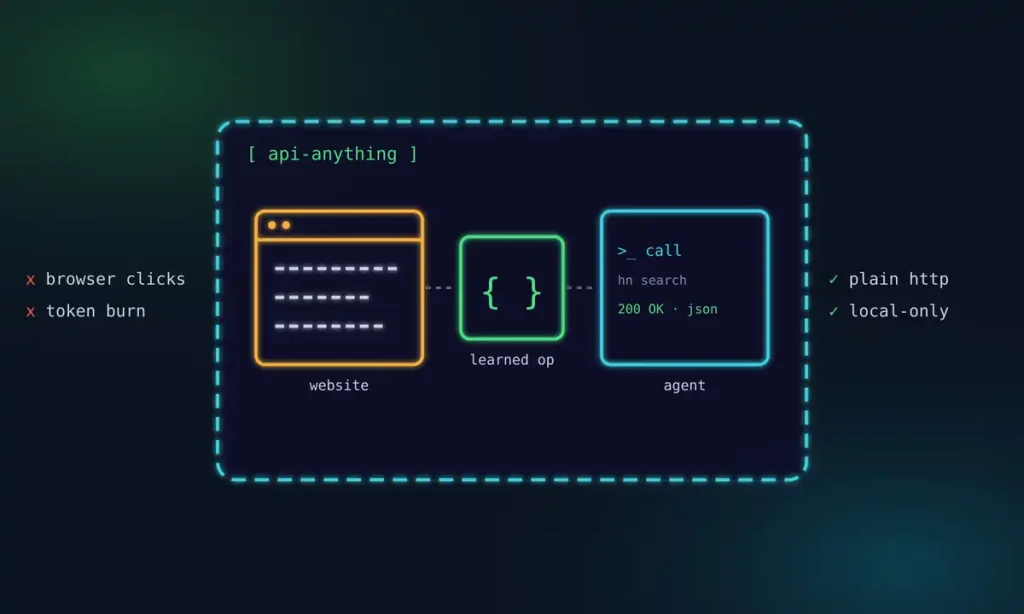
Watch an AI agent use a website that has no API and it’s painful: open a browser, wait, click, scroll, read the screen, repeat. Every step burns time and tokens. API Anything is a new open-source tool that skips all of that. It learns the requests a site makes behind the scenes, saves them as reusable operations, and lets your agent call them over plain HTTP. No browser in the loop.
It pairs nicely with the self-hosted agents I’ve been covering, like Hermes and OpenClaw, and it works with Claude Code, Codex, Cursor, Claude Desktop, Gemini CLI and VS Code.
What it is
- Who: Charles Zheng (goodnight000 on GitHub)
- License: MIT
- Released: late September 2026, and it passed a few thousand GitHub stars within weeks
- Needs: Node 22.13 or newer, plus a Chromium-based browser (Chrome, Brave, Edge or Chromium) for learning new sites
How it works
The clever part is how it learns. You give it a URL pattern with a placeholder and two example values. It loads the page once for each value in a headless browser, compares the two network requests, figures out which part changed, and turns that into a parameter. You add a small recipe of CSS selectors for the fields you want back. That’s it. No language model is involved in the learning itself, so it’s fast and predictable.
When your agent calls an operation, API Anything tries three tiers in order:
- A direct HTTP request, no browser at all
- The same request sent from inside a page open in your browser
- For reads only, loading the full page and pulling the data out of it
If a site changes and an operation breaks, it first checks a shared catalog for a fixed version. If there isn’t one, it relearns the request and only saves the new version if the replay actually works.
The shared catalog (and how to opt out)
The tagline is “one agent learns a site’s API; every other agent gets it for free.” Operations learned from public pages go into a shared catalog so other users can call them. The catalog only stores the operation specs. It doesn’t proxy your requests: every call goes straight from your machine to the site.
Anything you learn while signed in to a site is only shared with your permission. If you’d rather keep everything on your own machine, set it up with --local-only and nothing is shared or reported. That’s what I’d do on a homelab box.
Setting it up
The setup command finds the agents you have installed and asks which ones to connect, then wires itself in as an MCP server:
npx -y api-anything setup

# or keep everything on your machine:
npx -y api-anything setup --local-only
It creates an anonymous key in ~/.api-anything. No account needed. If your browser isn’t Chrome, point it at the right one with the API_ANYTHING_BROWSER environment variable (for example, brave).
Try one of the bundled operations from the command line:
api-anything call hacker-news search query=sqliteYou get back the result, which tier handled it, and how long it took. Once it’s connected to your agent, you can just ask the agent to use it.
Other useful commands
api-anything learnteaches it a new site from a URL pattern and example values. The syntax has been changing between releases, so check the repo’s QUICKSTART doc for the current form.api-anything loginimports a site’s cookies from your browser for operations that need you signed in. Cookies are stored as references, not copied into the operation.api-anything serveruns a local HTTP server with REST endpoints, an OpenAPI document and an MCP endpoint. It listens on localhost only and requires a token, which makes it easy to hook into n8n or your own scripts.
Writes are off by default. Anything that changes data on a site has to be explicitly allowed, and an identical write within 10 minutes is refused as a duplicate.
Is it actually faster?
The author compared a browser agent against API Anything using the same model. On a Google Flights search for one date, the browser agent took about 13 seconds and 47K tokens; API Anything took about 8 seconds and 21K tokens. Looking up five books on Goodreads went from about three minutes to about 30 seconds. Those are the author’s own numbers on a handful of runs, so take them as a rough guide.
An independent test by Javier Cañete found most of the bundled read operations answered over plain HTTP in well under a second. It also found the rough edges, which brings me to…
Where it falls over
- Bot protection. There’s no CAPTCHA solving. Cloudflare challenges and cookie walls can block calls on every tier, and Reddit blocks plain HTTP from a lot of networks.
- Your network matters. An operation that works for others can fail for you. The Google Flights operation failed from a UK address because Google showed a cookie consent page first.
- It’s fragile by nature. It relies on a site’s internal requests, which can change with no warning. Auto-repair doesn’t always save it.
- It’s young. The catalog is small, and the docs have been running ahead of the released package.
- Terms of service are on you. Some sites, LinkedIn for example, explicitly ban automated access, and accounts that break those rules can get restricted. Read the rules before you point it at a site, especially one you’re logged in to.
When to use it
API Anything shines for repeated reads from public sites that have no API and no aggressive bot protection: checking prices, pulling listings, searching a forum. If a site has an official API or MCP server, use that instead. For one-off tasks or anything involving forms, a browser agent is still the better tool. And for scraping a whole site, use a proper crawler.
For a homelab agent like Hermes that checks the same few sites every day, it’s a cheap way to cut token use and speed things up. Just run it with --local-only, keep writes off, and treat any operation from the shared catalog as code you didn’t write.
Sources: API Anything on GitHub, Jacar: API Anything, websites as APIs for agents, Claude Marketplaces listing.